Download
Installation Instructions
Step 1) Begin the installation by downloading the setup application using the link to the right
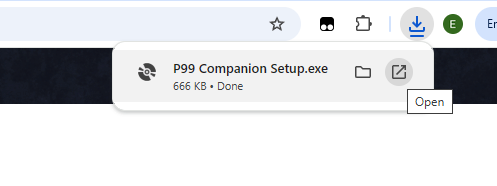
Step 2) Open the setup application from your browser (different browsers and versions may display differently)
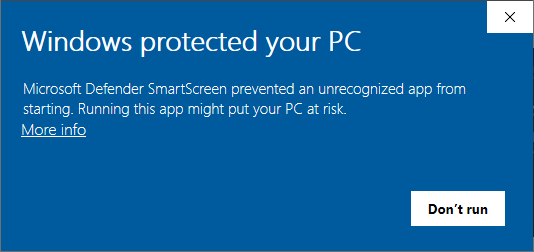
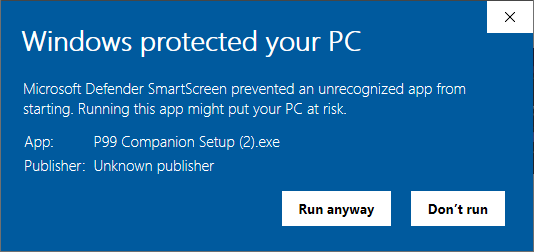
Step 3) Depending on the security settings of your machine, you may see the following dialog. Click the "More Info" link and then the "Run anyway" button.
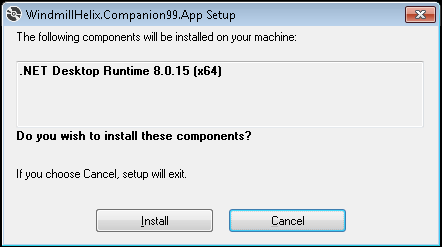
Step 4) If your machine is missing any prerequisites, such as the .NET Framework, you will be prompted to install them as so.
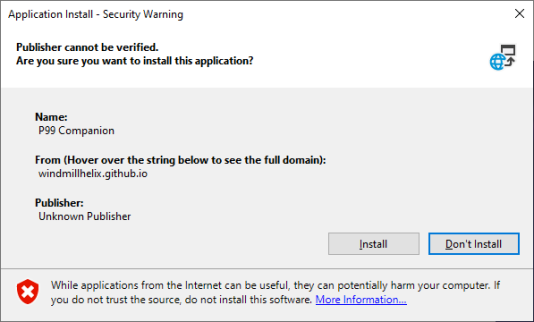
Step 5) The Application Install dialog will appear. Click the "Install" button.